
How to Search Suffolk County Court Records
The right tool depends on the court. Supreme Court and County Court civil cases sit in WebCivil Supreme. District Court civil cases in the western towns sit in WebCivil Local. Pending criminal court dates are in WebCriminal. Documents in e-filed cases are in NYSCEF. The elected County Clerk keeps land records, judgments, liens, and court minutes in its own Search Records portal. Each system is free to search.
Have your details ready first. A name, an index or case number, and a filing year narrow the results fast. The steps below walk through a typical Suffolk County court records search.
- Match the case to a court. Civil, divorce, foreclosure, and guardianship go to Supreme Court; felonies to County Court; local civil and misdemeanors to District Court; estates to Surrogate's Court.
- Open WebCivil Supreme and search by index number, party, attorney, or justice. Narrow the court to Suffolk.
- For a local civil case, open WebCivil Local and pick the Suffolk District Court district.
- For e-filed documents, open NYSCEF and search as a guest by case number or county.
- Request a certified copy from the Suffolk County Clerk if you need an official document.
WebCivil Supreme is the workhorse for higher civil cases. Its search page is shown below.
Source: WebCivil Supreme case search.
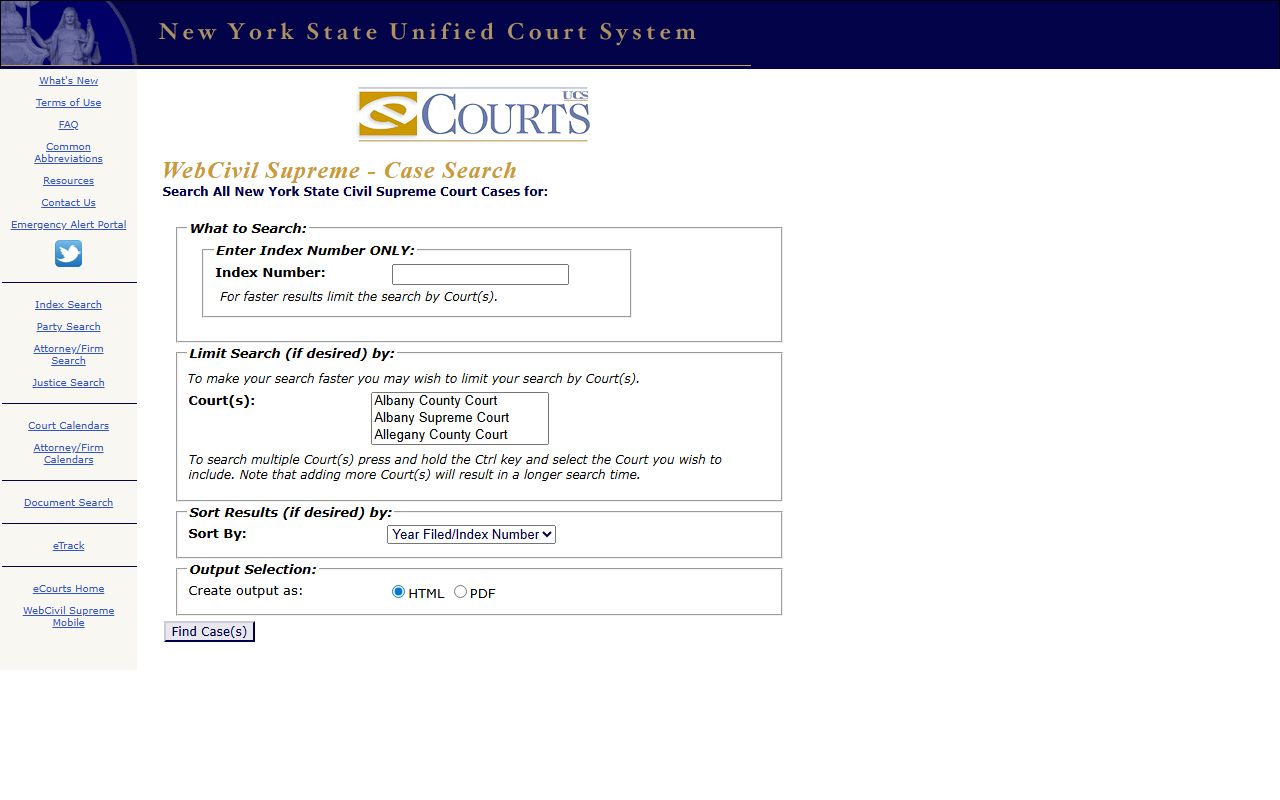
The same search box covers Supreme and County Court cases across the state, so you must narrow the court to Suffolk for clean results.
Suffolk County Court Records Search Fields
Each portal asks for slightly different fields. WebCivil Local handles District Court cases and uses a structured index number plus court and case-type dropdowns. The table lists the main fields you will see.
| Field Label | Type | Required | Notes / Format |
|---|---|---|---|
| Index Number | Structured text | No | Format example CV-000044-06/AU. |
| Party Name | Text | No | Plaintiff or defendant search. |
| Attorney Name | Text | No | Attorney or firm. |
| Court(s) | Multi-select | No | Suffolk District Court, 1st through 6th Districts. |
| Case Type | Dropdown | No | CC, CV, LT, MI, NC, RE, SC, TS. |
| Year of Filing | Dropdown | No | 1983 to current year. |
| Create output as | Radio | No | HTML or PDF. |
The WebCivil Local search page is shown here.
Source: WebCivil Local case search.
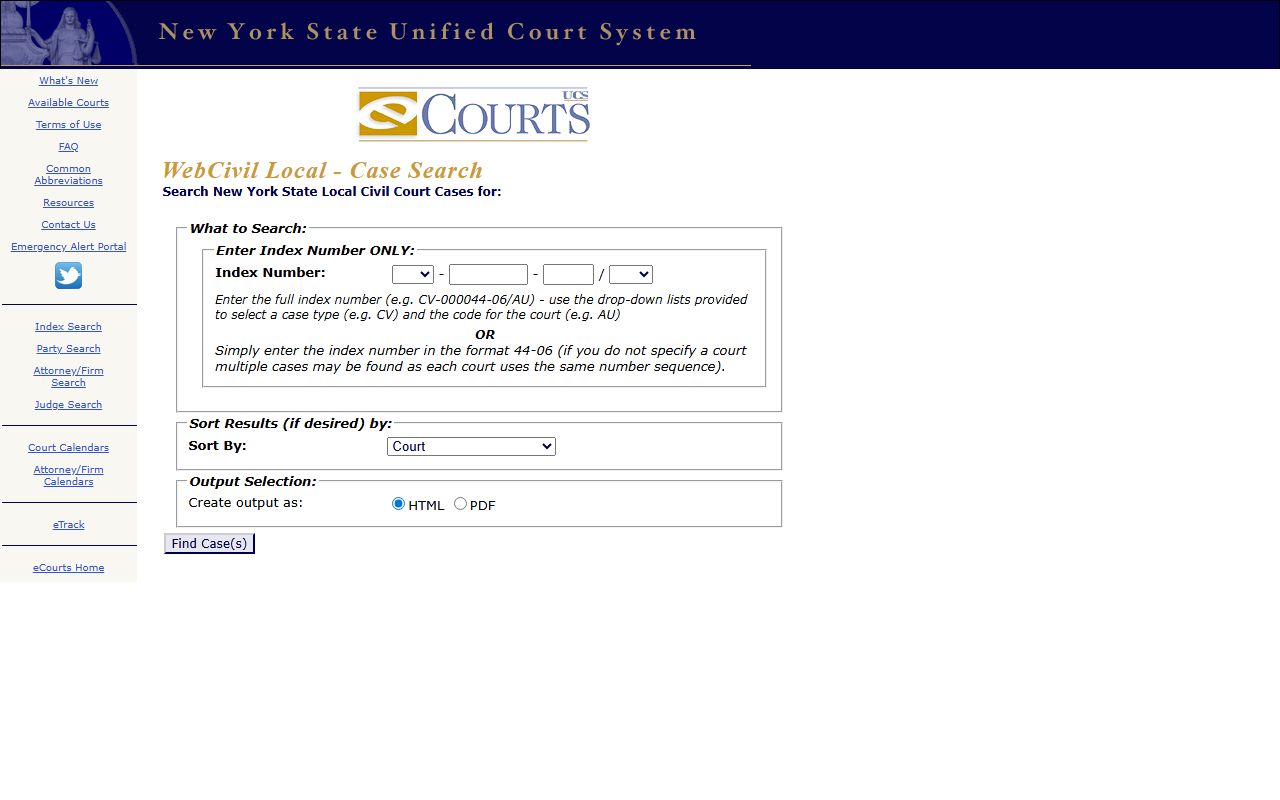
Pick the correct district for the town where the case was filed, or results from other districts will clutter the list.
Types of Suffolk County Court Records
Suffolk County court records fall into a few broad groups, and each comes from a different court. Supreme Court files cover high-dollar civil suits, foreclosure, Article 78 cases, matrimonial matters, and guardianships. County Court files cover felonies. District Court files cover local civil suits up to $15,000, small claims up to $5,000, landlord-tenant cases, and misdemeanors. The County Clerk records judgments, liens, deeds, and UCC filings on top of court minutes.
The list below sorts the main record types by the court that holds them.
- Civil case records: summons, complaint, motions, orders, and judgments from Supreme or District Court.
- Criminal case records: indictment, plea, sentence, and certificate of disposition from County or District Court.
- Court minutes and land records held by the County Clerk.
- Estate and will files from Surrogate's Court.
- E-filed documents stored in NYSCEF for cases filed on or after December 15, 2017.
What Suffolk County Court Records Show
A court record lays out the facts of a case. You can see the parties, the filing date, the case type, and the outcome. The County Clerk portal returns its own set of columns for court minutes and recorded documents. The table shows the common fields and what each one means.
| Field | What It Shows |
|---|---|
| Index / Case Number | The number used to pull the file. |
| Parties | Plaintiff or petitioner and defendant or respondent. |
| Application Date | When the matter was filed, shown in Clerk court minutes. |
| Case Type | Foreclosure, matrimonial, contract, criminal, and more. |
| Minutes | Sequence number, date, minute, and notation entries. |
| Disposition | The result of the case. |
For e-filed cases, NYSCEF can return the actual documents. Its guest search page is shown below.
Source: NYSCEF case search.
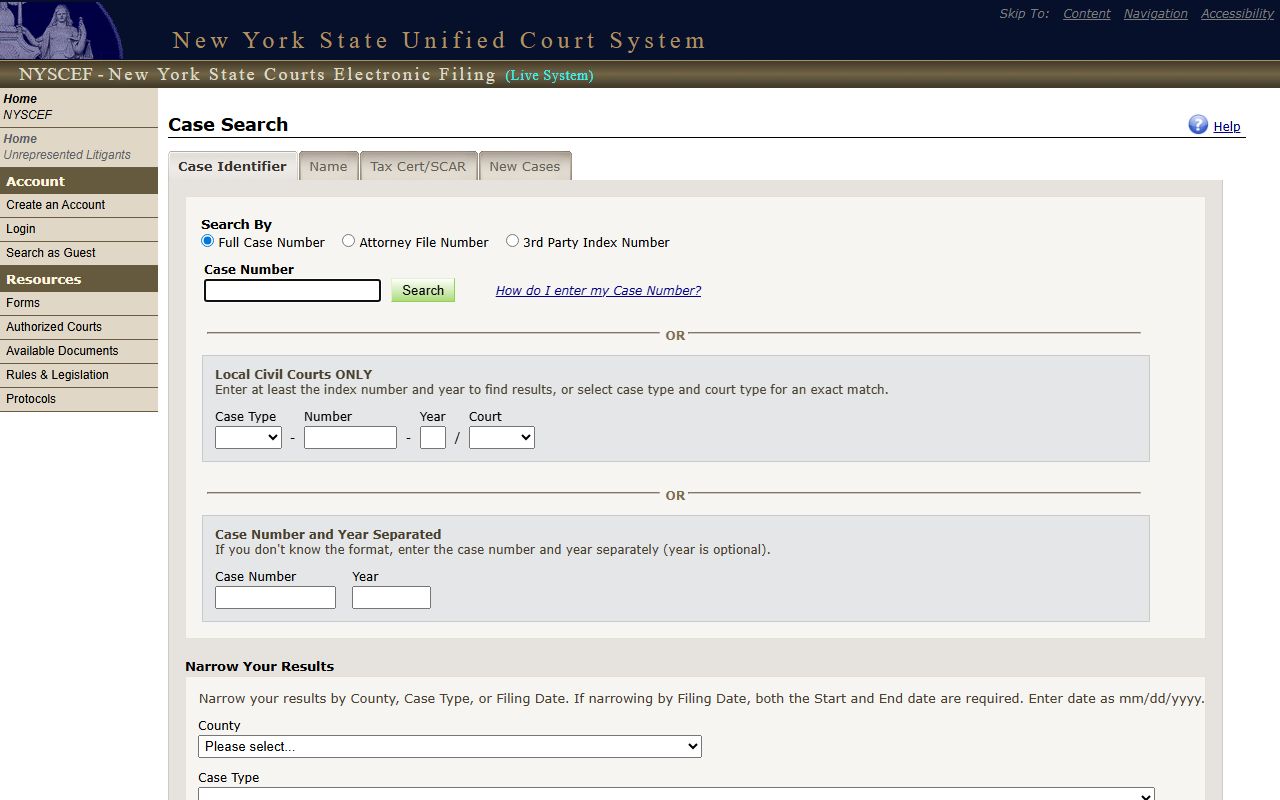
Document access depends on case type and any restrictions, so a guest search may show the docket but not every paper.
Public Access Framework for Suffolk County Court Records
New York keeps court records and agency records on separate tracks. The Freedom of Information Law covers agency files, while court files follow Judiciary Law and court rules. Judiciary Law § 255 requires clerks to search court files on request and certify the result, and Judiciary Law § 255-B supports public dockets. County Clerk copy fees follow CPLR § 8019.
Anyone can search the free portals. For certified copies, the Clerk requires payment by certified check, money order, or attorney's check, and a staff search costs $5 per two years. The Clerk's court action fee page sets out the schedule.
Source: Suffolk County Clerk court action fees.
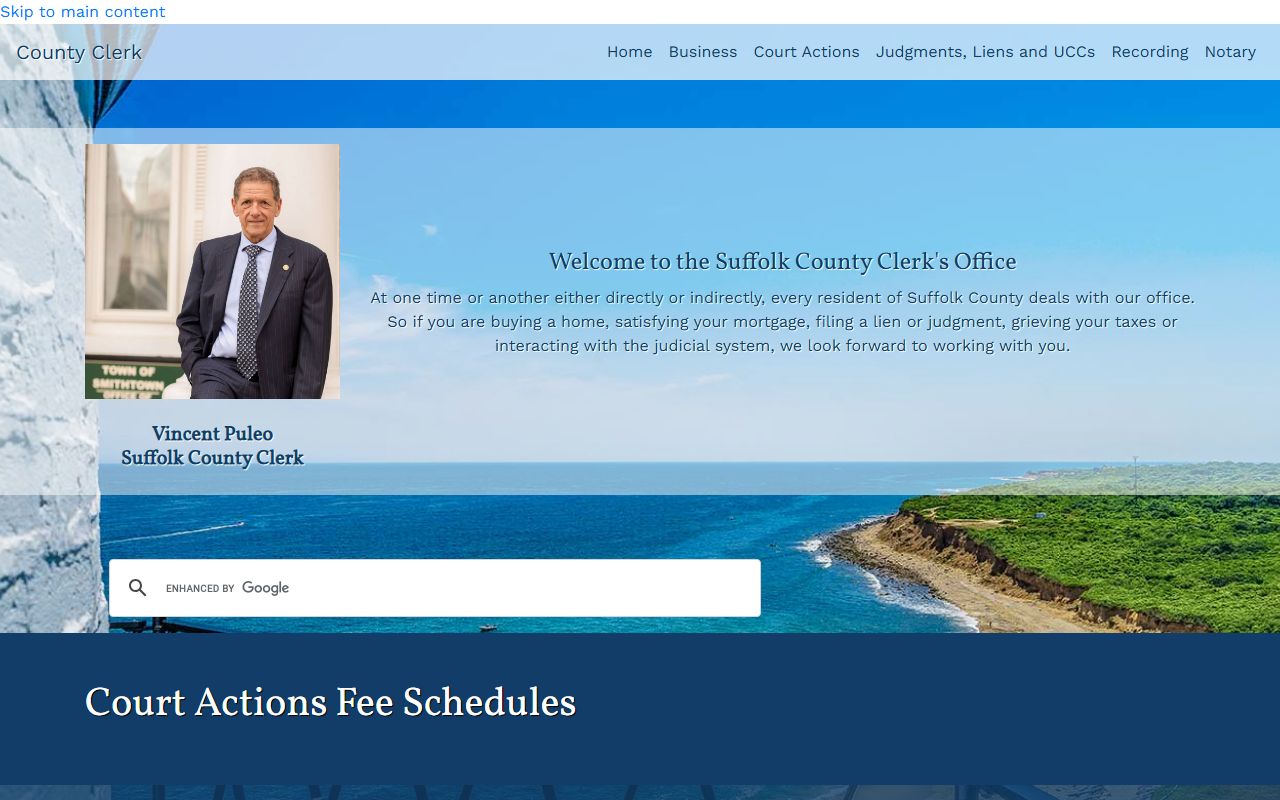
Note: A free online search shows case information, but an official certified copy must come from the County Clerk or the court that holds the file.
Records That Are Sealed or Confidential in Suffolk County
Some Suffolk County court records are closed. Matrimonial and divorce files are limited to parties, attorneys of record, or someone with a court order under Domestic Relations Law § 235. Adoption records are sealed. Many Family Court files are restricted. Criminal cases that end in favor of the accused are sealed under Criminal Procedure Law § 160.50.
To view a sealed record, a person usually must be a party or get a court order. For old convictions, an eligible person can petition the sentencing court to seal under Criminal Procedure Law § 160.59, with notice to the district attorney. The court may hold a hearing before it decides.
Other categories stay closed by their nature. Grand jury records are kept secret until an indictment is filed or unsealed. Mental hygiene proceedings carry health-privacy protections. In any sealed or restricted case, the online portals simply will not return the file.
In-Person Court Record Requests
You can also request records in person. The County Clerk's public office in Riverhead handles court actions, copies, and certified copies. Bring photo ID, and arrive well before closing so staff can help. Mail requests for court action copies should be marked Attn: Court Actions.
Suffolk County Clerk
310 Center Drive
Riverhead, NY 11901
(631) 852-2000
Mon-Fri 9:00 a.m. to 5:00 p.m.
Searching NYSCEF for E-Filed Documents
For newer cases, the documents themselves may be online. NYSCEF holds official records of cases filed electronically on or after December 15, 2017. You can search as a guest, though some documents stay restricted by case type or court rule. NYSCEF supports several search paths, so pick the one that fits what you know.
| Field Label | Type | Required | Notes / Format |
|---|---|---|---|
| Search By | Tabs | No | Full case number, attorney file number, or third-party index number. |
| Case Number | Text | No | Main full case number search. |
| County | Dropdown | No | Includes Suffolk. |
| Case Type | Dropdown | No | Article 78, foreclosure, matrimonial, commercial, and more. |
| Filing Date Start / End | Date | Conditional | Both needed to narrow by date; mm/dd/yyyy. |
If a case predates electronic filing, NYSCEF will not have it. For those, the County Clerk's paper and imaged records are the better route.
Requesting Older Suffolk County Court Files
Older cases take more legwork. The County Clerk's land-record imaging runs from 1987 to the present, and many court actions are searchable through the Clerk portal. When a record is not online, the Clerk can run a staff search for $5 per two years searched, then prepare copies.
To request by mail, send a written request with the index number, the party names, payment by certified check or money order to the Suffolk County Clerk, a self-addressed stamped envelope, and a copy of your photo ID. Mark court action requests Attn: Court Actions. The Clerk holds land records reaching back to the mid-1600s in Riverhead and at the BOMARC facility in Westhampton, so deep historical searches are possible with patience.